
What is a rug pull? How to spot one on Solana before you buy
This is part of the beginner series. The drawing is silly, but the checklist isn't, because this is about losing real money. It helps to know what a token is and how pools work first.
What is a rug pull?
A rug pull is when a token's creator takes the buyers' money and runs. Picture the tablecloth trick, except the dishes are everyone else's SOL: the creator yanks out the pool, prints new tokens to sell, or freezes buyers so only they can sell. The price can drop to almost nothing in seconds.
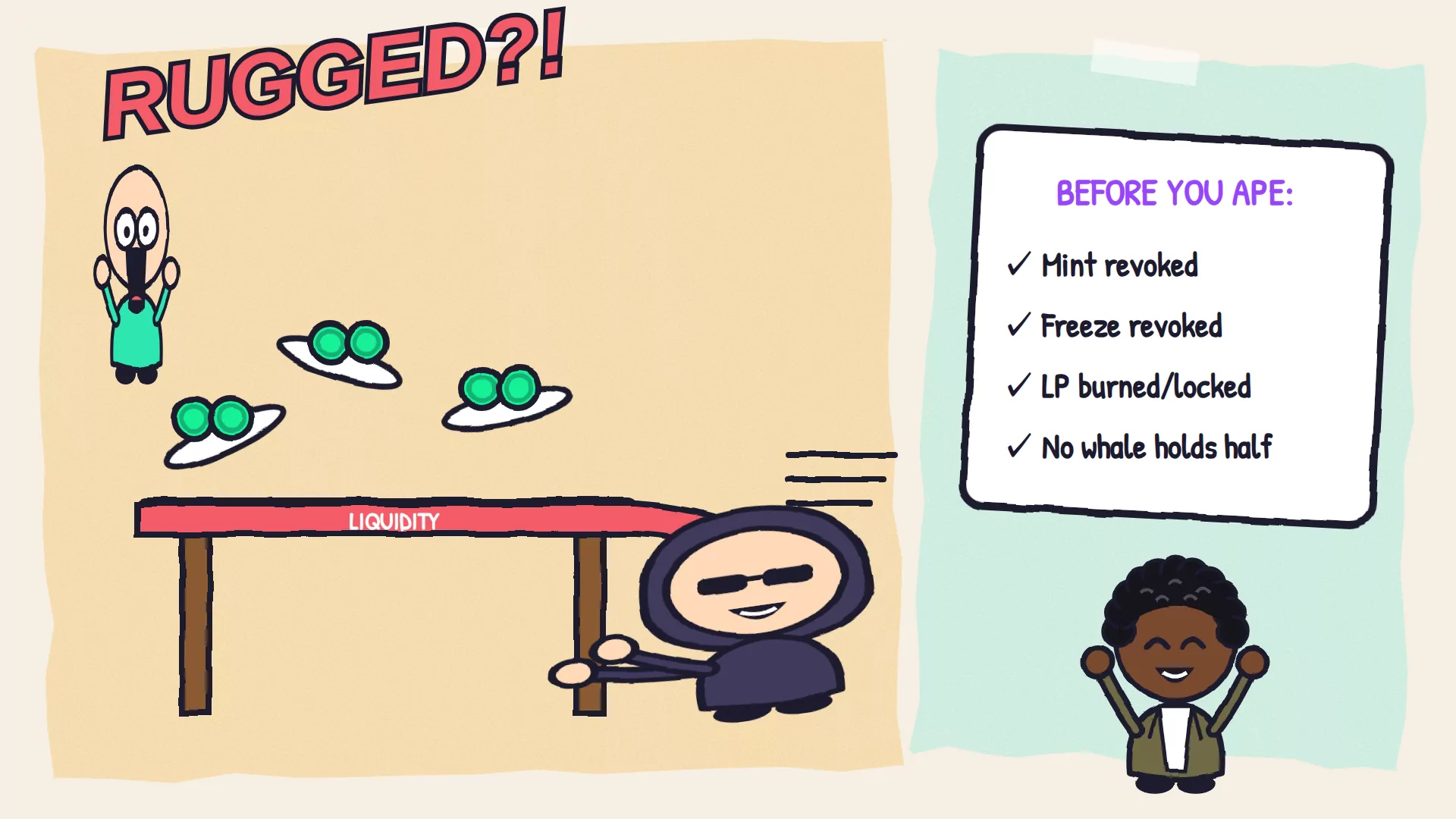
How do rug pulls happen?
There are four classic moves. The creator removes the pool's liquidity, mints a pile of new tokens and sells them, freezes holders' tokens, or simply sells a huge share they kept from the start. Copycat tokens are a fifth: a fake with the same name and logo, but a different address.
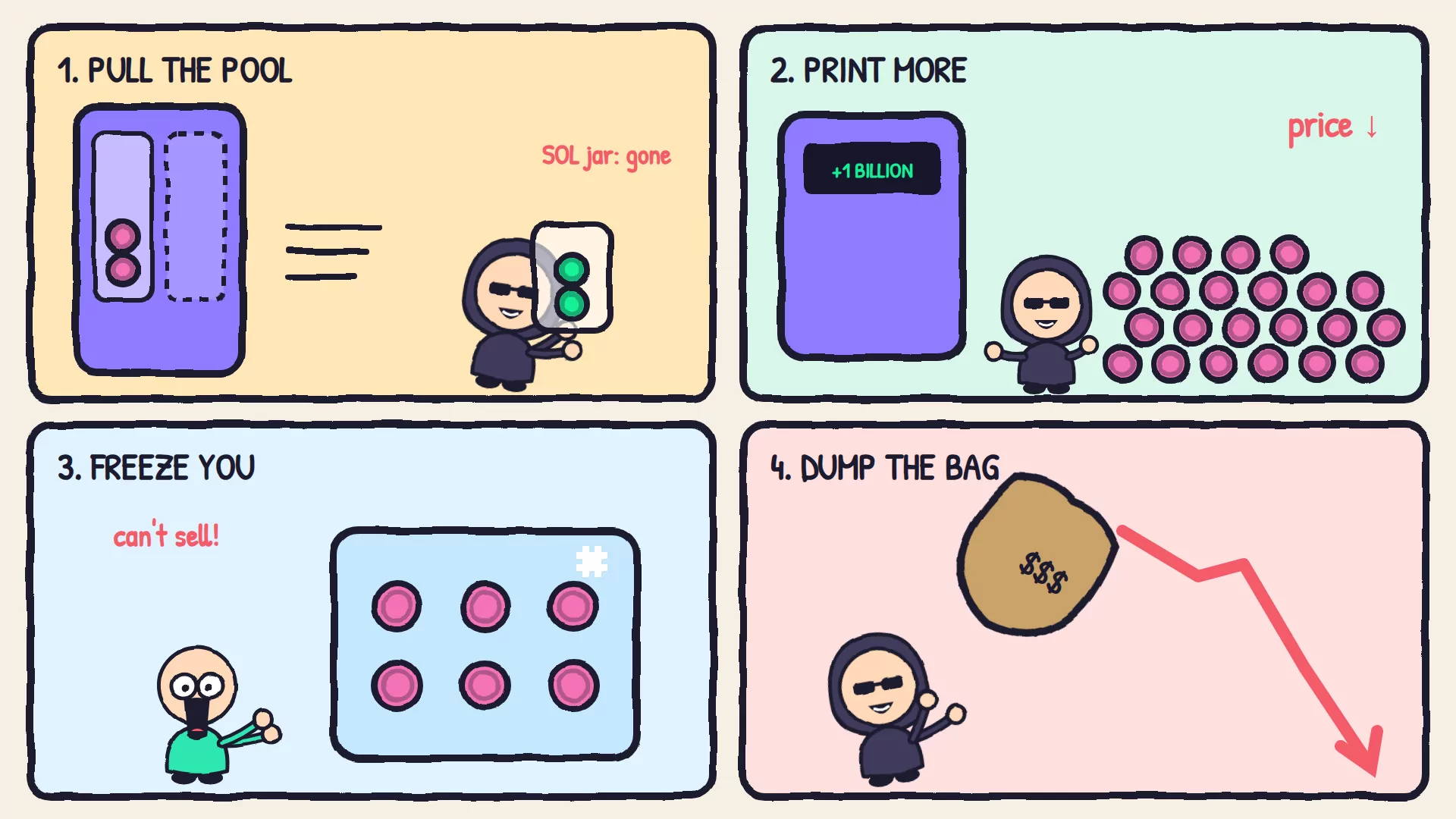
| The move | What it needs | What protects you |
|---|---|---|
| Pull the liquidity | The pool's LP tokens | LP tokens burned or locked |
| Print more tokens and sell them | The mint authority | Mint authority revoked |
| Freeze buyers so they can't sell | The freeze authority | Freeze authority revoked |
| Dump a huge bag | A big share of the supply | No ordinary wallet holding a big share |
| Sell you a copycat | Just a name and a logo | The mint address matching the one the project posts |
How do I check a token before I buy?
Run four checks before you buy: mint authority revoked, freeze authority revoked, liquidity burned or locked, and no single wallet besides the pool holding a big share. Then match the mint address against the project's own website or X account. An explorer such as Solscan shows most of this in about two minutes.
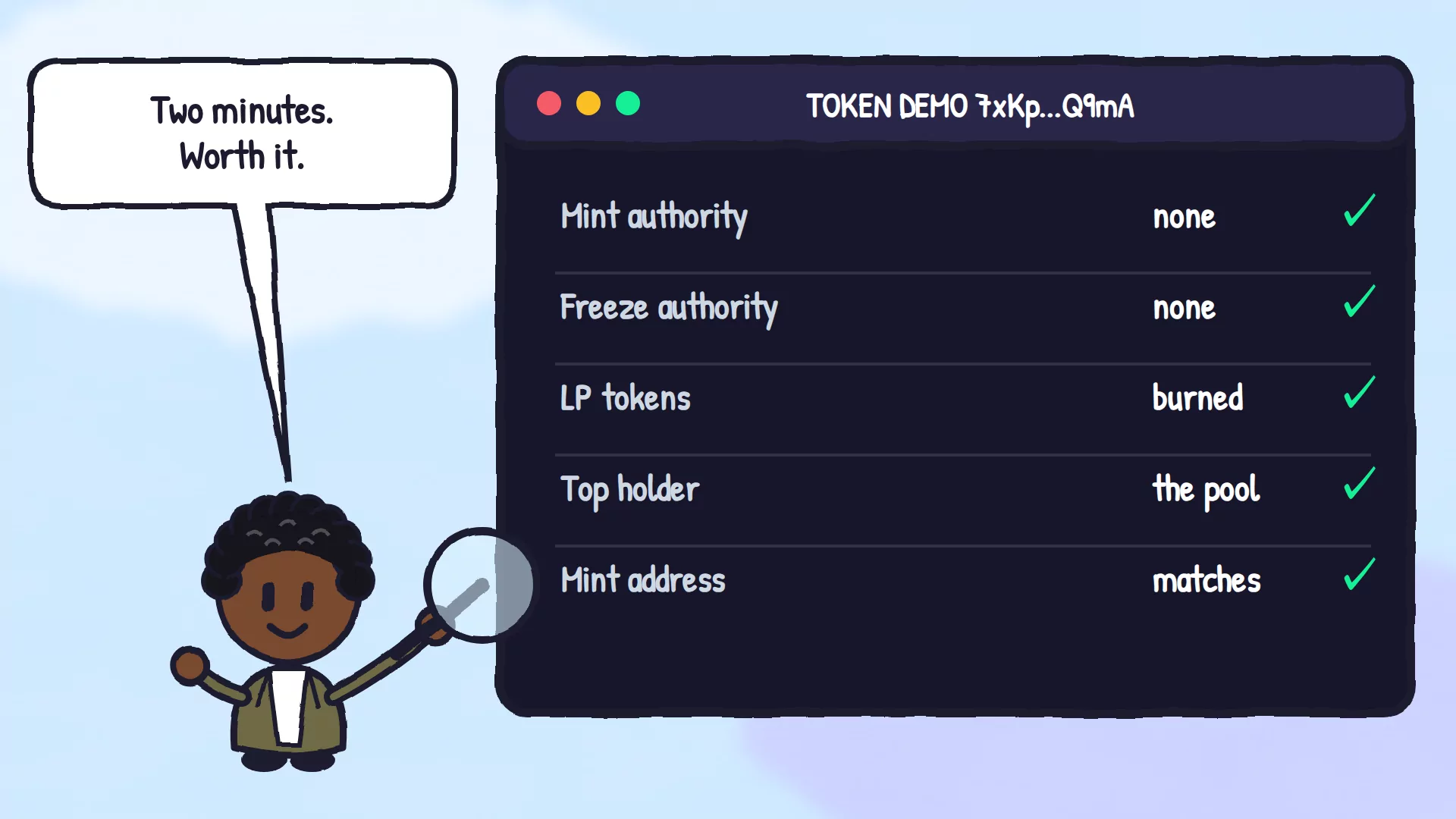
Here are two real tokens. Bonk passes the first two checks, because its mint and freeze authorities are both revoked. USD Coin fails both, and that's fine: its issuer keeps both keys so it can create USDC when people deposit dollars and freeze funds when it has to. That's why the checklist is a smell test, not a verdict. A memecoin has no good reason to keep either key.
Does a token that passes the checks mean it's safe?
No. The checks rule out the classic tricks, but a token can pass all four and still go to zero, because many do. Creators can sell what they bought, interest can fade, and locked liquidity can unlock on a date. Treat the checklist as the minimum, and only spend what you can afford to lose.
How can an honest creator prove they can't rug?
By throwing away the keys where everyone can see. Revoke the mint and freeze authorities, then burn or lock the pool's LP tokens. Each step is on-chain, so buyers can check it themselves. On Pump.fun, the authorities are already revoked, and a graduated pool's LP tokens are burned automatically.
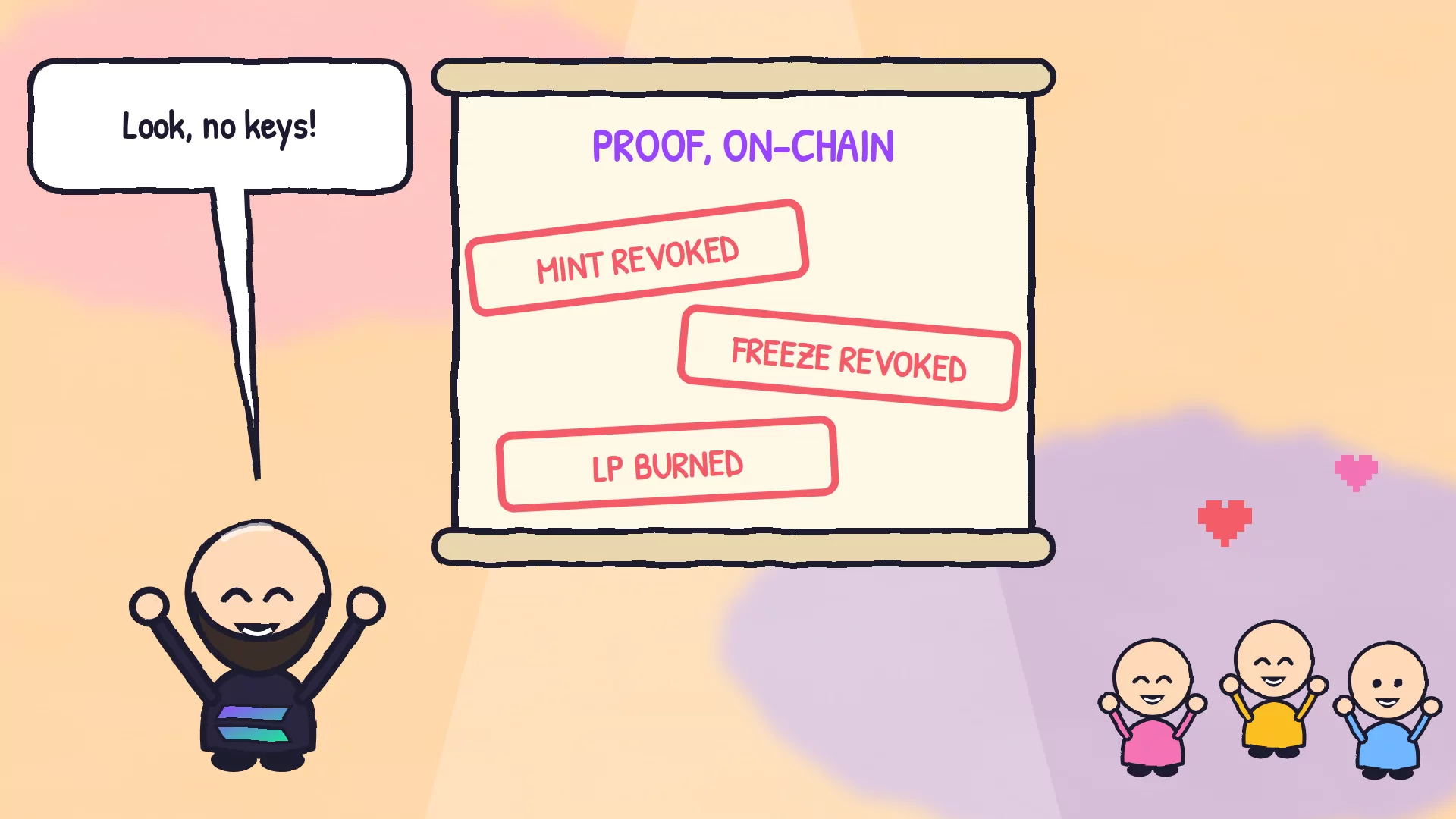
- Revoke the printer key: Revoke Mint Authority.
- Revoke the freezer key: Revoke Freeze Authority.
- Lock the label: make the metadata immutable, so the name and logo can't be swapped later.
- Burn or lock the receipt: burn LP tokens or lock them until a date everyone can see.
- Do the first two for free by turning on Revoke freeze and Revoke mint when you create the token.
Prerequisites
- The token's mint address, from the project's own website or account.
- A web browser. You don't need a wallet just to check a token.
Steps to check a token in two minutes
- Get the address from the source. Copy it from the project's official website or X account, not from a reply, a DM or a search result.
- Open it on an explorer. Paste it into an explorer such as Solscan or the Solana Explorer, and check that the name, symbol and address all match.
- Check the two keys. Find the mint authority and the freeze authority. An address means someone still holds that key. No address means it's revoked.
- Check the holders. Open the Holders tab. A pool, a bonding curve or a lock near the top is normal. One ordinary wallet holding a huge share is a red flag.
- Check the liquidity. Find the token's pool and who holds its LP tokens. If the token graduated from Pump.fun, they were burned automatically.
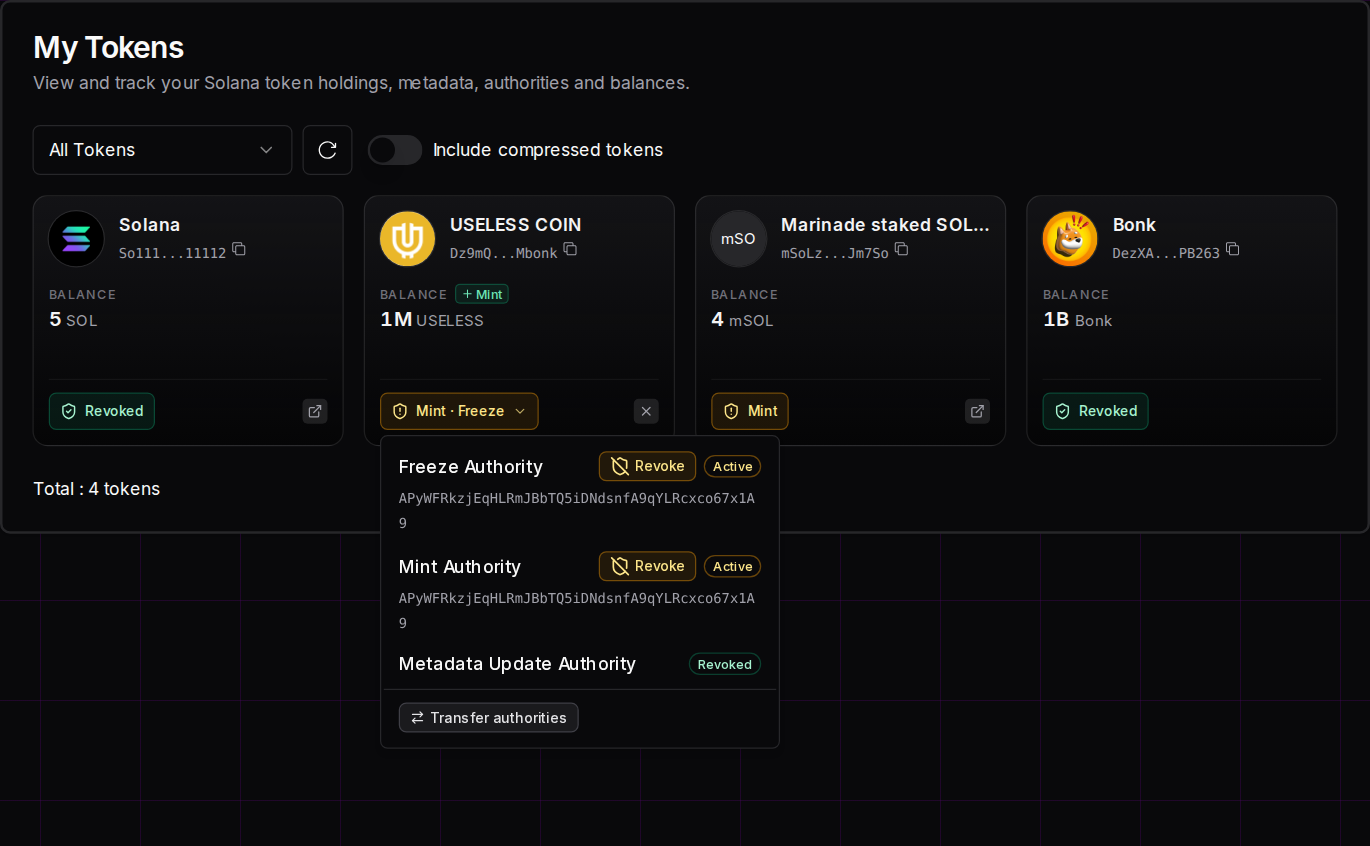
- Check tokens you already hold. Connect to Solz.app and open My Tokens. Each token shows Revoked, or lists the keys that are still active.
In this wallet, Bonk shows Revoked. mSOL shows Mint, because its staking program creates new mSOL whenever someone stakes, which is how it's meant to work. USELESS COIN shows Mint · Freeze, with both keys still Active, so a buyer would want to see those revoked:
What should I expect to see?
On an explorer, a revoked authority shows no address, while an active one shows the wallet or program that holds it. In Solz.app's My Tokens, a token shows Revoked, or lists the keys that are still active, such as Mint · Freeze. Nothing turns green or red by itself: you read the facts and decide.
| What you see | What it means | What to do |
|---|---|---|
| No mint or freeze authority | Nobody can print more or freeze you | Move on to the holders and the liquidity |
| A mint or freeze authority with an address | Someone can still print more or freeze holders | Find out why. For a memecoin, it's a red flag |
| One ordinary wallet holding a big share | That wallet could crash the price by selling | Be very careful |
| The right name, but a different address | It's a copycat | Don't buy it |
| Revoked in My Tokens | Both keys on a token you hold are gone | Nothing else |
How much does it cost to prove a token is safe?
Checking a token is free. If you created one, revoking the mint or freeze authority on Solz.app costs 0.04 SOL each, or nothing extra if you do it while creating the token. Burning LP tokens costs 0.025 SOL per burn, and a token lock costs 0.002 SOL per lock.
| Item | Cost |
|---|---|
| Check a token on an explorer | Free |
| Revoke mint authority | 0.04 SOL |
| Revoke freeze authority | 0.04 SOL |
| Make metadata immutable | 0.04 SOL |
| Revoke freeze or mint while creating the token | No extra fee |
| Burn LP tokens | 0.025 SOL per burn |
| Lock tokens | 0.002 SOL per lock |
FAQ
I think I got rugged. Can I get my money back?
Usually not, because Solana transactions can't be reversed. Watch out for "recovery services" that contact you afterwards: they're a second scam aimed at people who were just scammed.
What's a honeypot?
A token you can buy but can't sell. On Solana, the usual cause is an active freeze authority, or a tax token with an enormous transfer fee.
Is a big holder always a scam?
No. Pools, bonding curves, locks and exchanges often hold big shares. Check what the wallet is before you panic.
Are Pump.fun coins safe from rug pulls?
Their mint and freeze authorities are revoked, and a graduated pool's LP tokens are burned, so the classic moves are off the table. The creator and early buyers can still sell everything they hold, and that crashes the price just the same.
Keep reading
Next in the beginner series: money in and out, from your bank to your wallet and back.
Open the tool
Open My Tokens on Solz.app or Revoke Mint Authority on Solz.app