
Liquidity pool vs Pump.fun vs LaunchLab launches
Compare launching with your own liquidity pool, on Pump.fun or on LaunchLab. See when to choose each, what happens after the curve, and the pros and cons.
Should I launch with a liquidity pool, Pump.fun or LaunchLab?
Choose Pump.fun or LaunchLab if you have little starting capital and want buyers to fund the liquidity through a bonding curve. Choose your own liquidity pool if you can supply the liquidity and want control over supply, price, trading fee and timing. Pools trade straight away, while most curve tokens never graduate.
Nothing here is financial advice, and a launch can lose all of the money you put in. Don't spend more than you can afford to lose.
Prerequisites
- A Solana wallet such as Phantom, Solflare or Backpack.
- A token name, a symbol and an image.
- A budget. A curve launch can start from about 0.075 SOL plus your own buy. A pool needs about 0.31 SOL in fees, plus the liquidity you add.
- A rough plan for how your token will find buyers, because no launch type does that for you.
What is the difference between a liquidity pool and a bonding curve?
A liquidity pool holds your token and SOL, which you deposit yourself, and the ratio sets the starting price. A bonding curve starts with no real SOL: a formula sets the price, and buyers' SOL builds up until the curve fills. The token then graduates, and that SOL and the remaining tokens form a pool.
| Your own liquidity pool (Raydium CPMM) | Pump.fun | LaunchLab | |
|---|---|---|---|
| Who funds the liquidity | You | Buyers on the curve | Buyers on the curve |
| Fees to launch on Solz | About 0.31 SOL, plus your liquidity | 0.05 SOL, plus about 0.006 SOL on-chain | 0.05 SOL, plus network fees |
| Supply | You choose | 1 billion, fixed | 1 billion by default |
| Starting price | The ratio you deposit | Fixed by the curve | Set by your Bonding Amount |
| Where the tokens go | You decide how many go in the pool | 79.31% on the curve, 20.69% to the pool | 79.31% on the curve, 20.69% to the pool, by default |
| Tax tokens | Supported | Not offered | Only in StonkFun's reward mode |
| Trading fee at launch | The tier you pick, 0.25% to 4% | About 1.25% | 1.05% on Raydium's platform, and set by each platform |
| What you earn from trading | A share of the pool's fee, while you hold the liquidity pool (LP) tokens | A 0.30% creator fee on the curve, then tiers on PumpSwap | A creator fee if the platform sets one, or the platform fee on your own platform |
| Can the liquidity be withdrawn? | Yes, by you, until you burn or lock it | No, its liquidity pool (LP) tokens are burned | No, not by the creator |
| Mint and freeze authority | You revoke them | Already revoked on the coins we checked | Mint authority revoked at graduation |
| Choose when trading opens | Yes, with Set Launch Time | No | No |
| Same-block Buy Bundle | On Raydium AMM v4. On CPMM it's delayed by up to 3 seconds | Yes | Yes |
When should you use a liquidity pool?
Use your own liquidity pool when you already have the capital and want to set the terms. That suits projects with an existing community, a planned launch date, a token allocation for the team or partners, or a tax token. You choose the supply, price and fee tier, but you take on the cost and the risk.
Choose a pool if you:
- Have SOL to commit to liquidity, ideally enough that normal trades don't move the price too much.
- Need your own supply or allocation, such as tokens for the team, partners or an airdrop.
- Want a Token-2022 tax token.
- Want to open trading at a set time.
- Want the token to be tradable on a pool from the first minute, not after a curve fills.
Your deposit sets the price. For example, 10 SOL and 800 million tokens from a supply of 1 billion gives a starting market cap of 12.5 SOL. In that pool, a 1 SOL buy gets about 72.7 million tokens and raises the price by about 21%, before fees. A deeper pool at the same price moves less.
The Raydium guide explains pool types and fee tiers.
When should you use Pump.fun?
Use Pump.fun when you want the cheapest, simplest launch and you're fine with fixed settings. It suits memecoins and community experiments that depend on early attention. The curve is the same for every SOL-paired coin, liquidity is handled for you, and you earn a creator fee from trading, even before graduation.
Choose Pump.fun if you:
- Have little starting capital.
- Don't want to decide the supply, the starting price or the pool's fees.
- Want creator fees that continue on PumpSwap after graduation, with an option to share them.
- Are happy for most of the supply to be sold on the curve, with your own share coming from your buy.
The Pump.fun guide covers the options, bundles and curve maths.
When should you use LaunchLab?
Use LaunchLab when you want a bonding curve with more control. You can choose your Bonding Amount, launch on a specific platform or a USD1 pair, and graduate to Raydium. It's also the choice if you want your own launchpad, where you set the fees and earn from every token launched on it.
Choose LaunchLab if you:
- Want to pick how much SOL fills the curve: 30, 42 or 85 SOL. A smaller curve graduates sooner, but its pool is thinner.
- Want to graduate to a Raydium CPMM pool.
- Want to launch on a platform with its own audience, such as Bonk.
- Want to create your own LaunchLab platform for 0.15 SOL and earn its platform fee.
What happens after the bonding curve?
When the curve fills, the token graduates automatically, and you don't need to do or pay anything. Curve trading stops, the raised SOL and the remaining tokens move into a new pool, and the launch liquidity can't be withdrawn by the creator. Pump.fun graduates to PumpSwap, and LaunchLab graduates to Raydium CPMM.
- The curve fills. All the curve tokens have sold, and trading on the curve stops.
- The token migrates. The raised SOL and remaining tokens go into a new pool.
- The liquidity pool (LP) tokens are burned or locked. This is what stops the creator from pulling the launch liquidity.
- Trading continues in the pool. Sites like Jupiter and DexScreener can then list the token, and they decide how and when.
| After the curve | Pump.fun | LaunchLab |
|---|---|---|
| When it graduates | About 85 SOL has gone in | Your Bonding Amount has gone in |
| Who migrates it | Anyone can trigger it | Only Raydium's configured wallet |
| New pool | PumpSwap | Raydium CPMM |
| Tokens added to the pool | 206.9 million | 206.9 million with the default supply |
| Liquidity pool (LP) tokens | All burned | Split by the platform's settings. Raydium's platform burns 90%, and the rest is locked for the platform |
| Trading fee | 1.25% falling to 0.30% as market cap grows | 0.25% tier, plus a 0.05% creator fee on Raydium's and Solz's platform settings |
| Your creator fees | Continue on PumpSwap | Depend on the platform's settings |
| Your action | None | None |
- Graduation is uncommon. On Pump.fun, reported rates were 2.5% in one week and a peak of 6.7% in one day.
- If the curve never fills, the token stays on it. People can still trade it, and no pool is created.
- The new pool can be thin. At about 85 SOL or less, even modest trades can move the price a lot.
- Bundle wallets still hold ordinary tokens. They can sell at any time, and that affects the price.
- BOOST on Pump.fun: news outlets report that about 20% of the funds are held back for buys and burns just after graduation. The Pump.fun guide explains what we could and couldn't confirm.
Your own liquidity pool has no curve and no graduation. It's live from the moment you create it.
What are the pros and cons of each launch?
A liquidity pool gives you the most control, but costs the most and puts the capital at your risk. Pump.fun is the cheapest and simplest, but its settings are fixed and most coins don't graduate. LaunchLab sits between them, with a choice of curve and platform, though its terms depend on the platform you choose.
Your own liquidity pool
Pros:
- You choose the supply, allocation, starting price and fee tier.
- It's tradable straight away, with no curve to fill.
- It supports tax tokens, and you can set when trading opens.
- You earn the pool's fee share while you hold the liquidity pool (LP) tokens.
Cons:
- It costs the most, and you have to supply all the liquidity.
- Buyers may worry about the liquidity being pulled until you burn or lock it.
- If you burn your liquidity pool (LP) tokens, you give up that liquidity and its fee share for good.
- Early buyers, including bots, can trade as soon as it opens.
- As the price moves, your position shifts between the token and SOL, so what you withdraw can differ from what you put in.
Pump.fun
Pros:
- It's the cheapest to start, from about 0.075 SOL plus your own buy.
- Buyers fund the liquidity, and graduation is automatic.
- The launch liquidity is locked for good, because its liquidity pool (LP) tokens are burned.
- You earn creator fees on the curve and after graduation.
Cons:
- The supply and curve are fixed, and you can't set aside an allocation except by buying.
- Most coins don't graduate, so the pool may never exist.
- Fees are set by Pump.fun, and they can change.
- The pool starts small, at about 85 SOL or less.
LaunchLab
Pros:
- You can choose the Bonding Amount and the pair, including USD1.
- It graduates to Raydium automatically.
- You can launch on a platform with its own audience, or create your own and earn its fee.
Cons:
- Fees and what happens to the liquidity depend on the platform, so check them first.
- Creator fees can be low or zero. They're 0.05% on Raydium's platform, and 0% on letsbonk.fun's and on a Solz platform by default.
- A smaller curve graduates sooner into a thinner pool, and a small buy takes a much larger share of the supply.
- As on Pump.fun, the curve may never fill.
Steps to choose your launch
- Check your budget. If you can't fund meaningful liquidity yourself, a curve is usually the better fit.
- Decide how much control you need. If you need your own supply, an allocation, a tax token or a set launch time, use a pool.
- Pick a curve if you're using one. Choose Pump.fun for fixed settings, or LaunchLab to choose your curve, pair and platform.
- Compare the fees. Add up the launch costs below, and check the trading fee your buyers will pay.
- Plan for what comes next. Decide what you'll do if the curve never fills, or, on a pool, whether you'll burn or lock your liquidity pool (LP) tokens.
- Launch. Open Create Liquidity Pool, Launch on Pump Fun or Launch on LaunchLab.
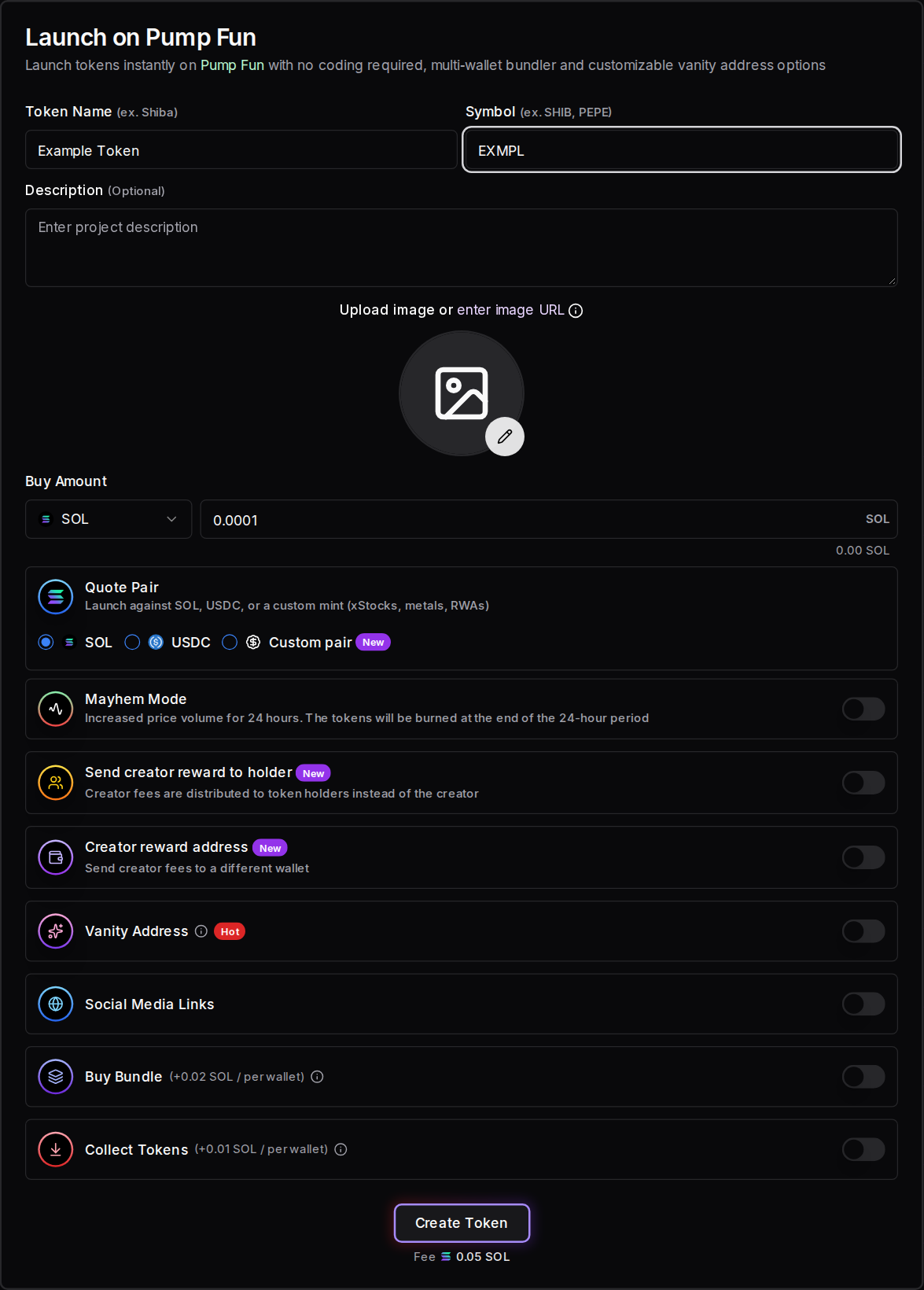
How much does each launch cost on Solz?
A Pump.fun or LaunchLab launch has a 0.05 SOL Solz service fee, plus network fees and your own buy. A Raydium CPMM launch costs about 0.31 SOL: 0.05 SOL to create the token, about 0.016 SOL in network fees and rent, and 0.24 SOL for the pool, plus your liquidity.
| Item | Cost |
|---|---|
| Pump.fun launch | 0.05 SOL, plus about 0.006 SOL on-chain and your own buy |
| LaunchLab launch | 0.05 SOL, plus network fees and your own buy |
| Create a token for a pool | 0.05 SOL, plus about 0.016 SOL in network fees and rent |
| Create a Raydium CPMM pool | 0.09 SOL service fee, plus Raydium's 0.15 SOL fee |
| Your liquidity | The amounts you add |
| Buy Bundle on Pump.fun or LaunchLab | +0.02 SOL per wallet |
| Buy Bundle on a Raydium pool | +0.04 SOL per wallet |
| Collect Tokens | +0.01 SOL per wallet |
| Burn liquidity pool (LP) tokens | 0.025 SOL per burn |
| Token Lock | 0.002 SOL per lock |
For a pool, Solz's balance check also looks for a further 0.06 SOL allowance for token accounts.
FAQ
Can I start on a bonding curve and add my own pool later?
Yes, you can create another pool for a token you hold. More pools for one token split its liquidity, so each trade moves the price more.
Can I launch a token I already created on Pump.fun or LaunchLab?
No. These launches create the token as part of the launch. To launch a token you already created, use a liquidity pool.
Which launch is cheapest?
Pump.fun and LaunchLab have the lowest launch fees. Your own pool costs about 0.31 SOL in fees, and the liquidity is on top. You can withdraw that liquidity later unless you burn it, but its value can change.
Do buyers trust a launch with burned liquidity more?
It removes one risk, because that liquidity can't be pulled. It doesn't say anything about who holds the supply or whether the project is any good, so buyers still need to check those.
Can I change the launch type afterwards?
No. A launch can't be edited, and a token can't move back onto a curve. You can add a pool after launching, as long as you hold the tokens.
Open the tool
Launch on Pump Fun, launch on LaunchLab or create a liquidity pool
Launch on Raydium LaunchLab or create your launchpad
Launch on Raydium LaunchLab from Solz with a bonding curve, bundle and vanity address, or create your own launchpad and earn trading fees. Includes all fees.
How to get a Solana vanity address
Generate a Solana address with letters you choose on Solz's hosted GPUs. Use it for token branding, to market an address before launch, or as a wallet.