
How to get money in and out of Solana, for beginners
This is the last article in the beginner series. It assumes you have a wallet and your 12 words written down, which Solana for beginners covers. Nothing here is financial or tax advice.
How do I get money into Solana?
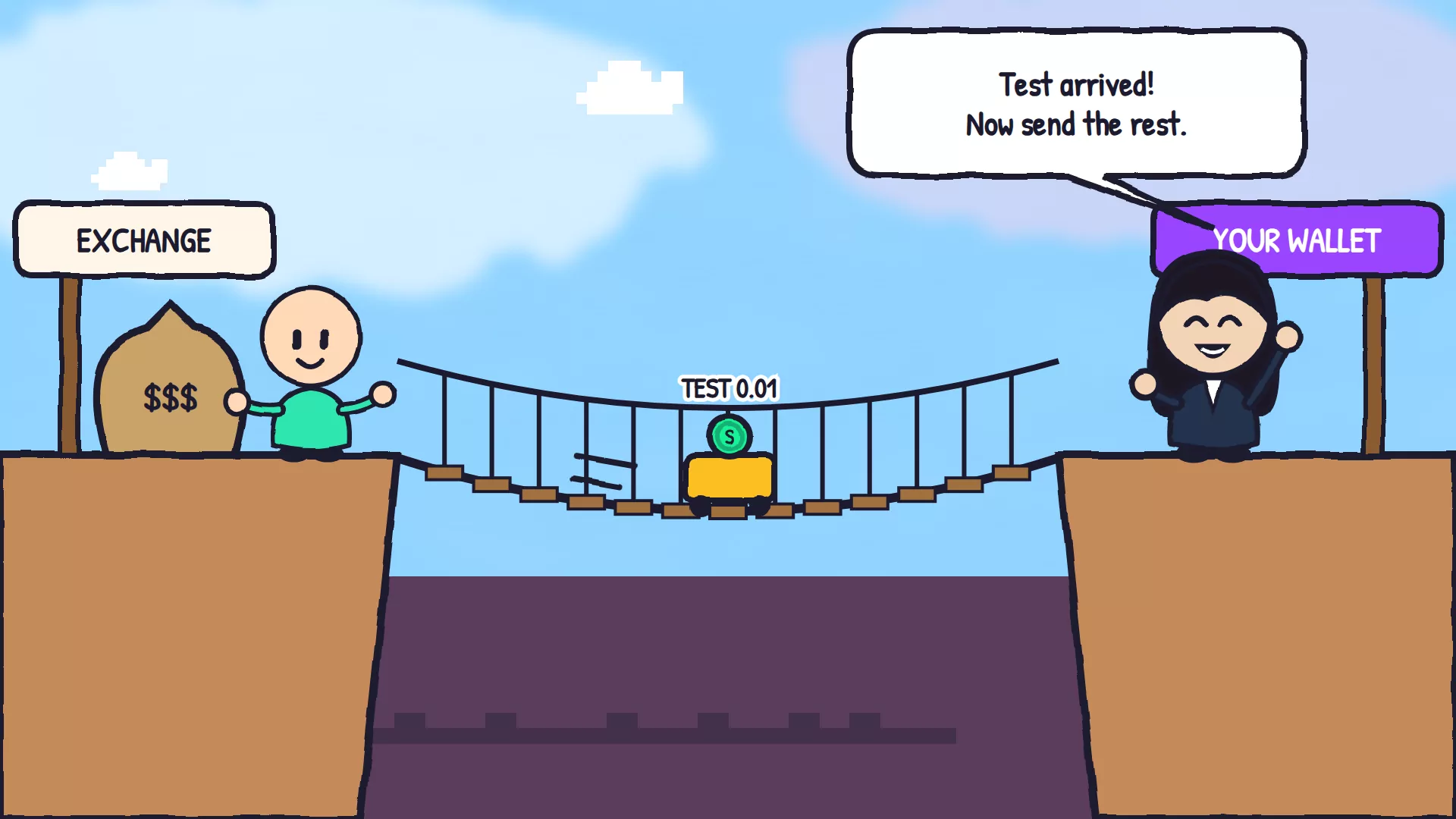
Buy SOL on a crypto exchange, or by card with the Buy button in a wallet such as Phantom. Then send it to your wallet's address, choosing the Solana network. Send a small test amount first, check it arrives, and only then send the rest. It usually lands within seconds of the exchange sending it.
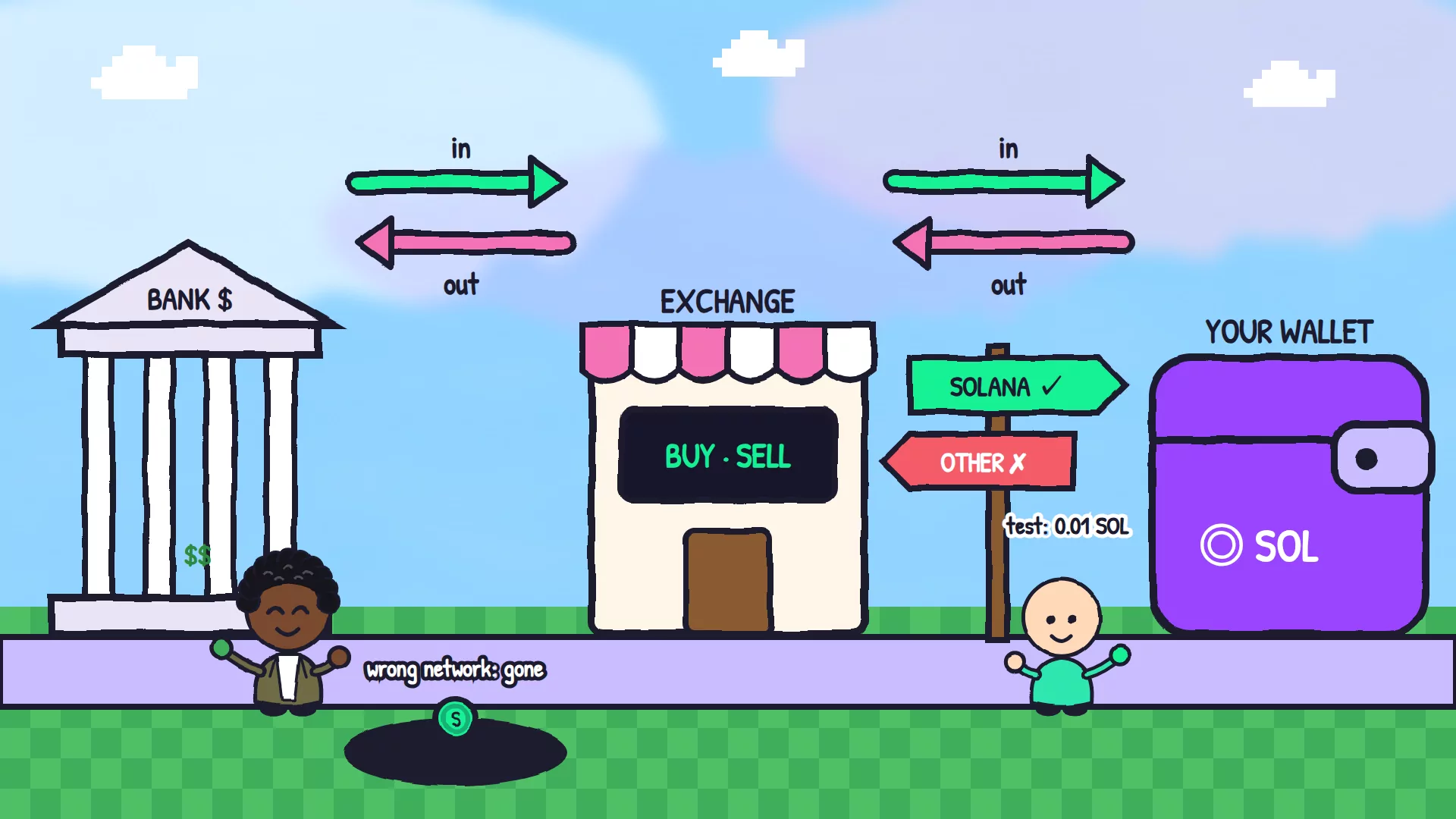
Think of it as a road with three stops: your bank, an exchange and your wallet. Money drives along it in both directions. The exchange is the only stop that deals in both dollars and SOL, which is why you need one.
- An exchange is a company that swaps your currency for crypto. Pick one that's allowed to operate in your country. It will check your identity before you can deposit from a bank.
- Your wallet's Buy button sells you SOL by card through a payment partner, and sends it straight to your wallet. It's simpler, and usually costs more.
- Strangers selling SOL in chats or by bank transfer aren't a route. That's where people get scammed.
How do I get money out of Solana?
Do the same road backwards. Swap your tokens for SOL or USDC, send that to your exchange's deposit address on the Solana network, sell it for your currency, and withdraw to your bank. Before you go, collect the SOL stuck in empty token accounts with the SOL Incinerator, because it's yours.
Which network should I choose?
Always Solana, when the destination is a Solana wallet. Exchanges often offer the same coin on several networks, and USDC alone exists on many of them. Sending on the wrong network can lose the money for good, and nobody can reverse it. If Solana isn't offered, don't send: find another route.
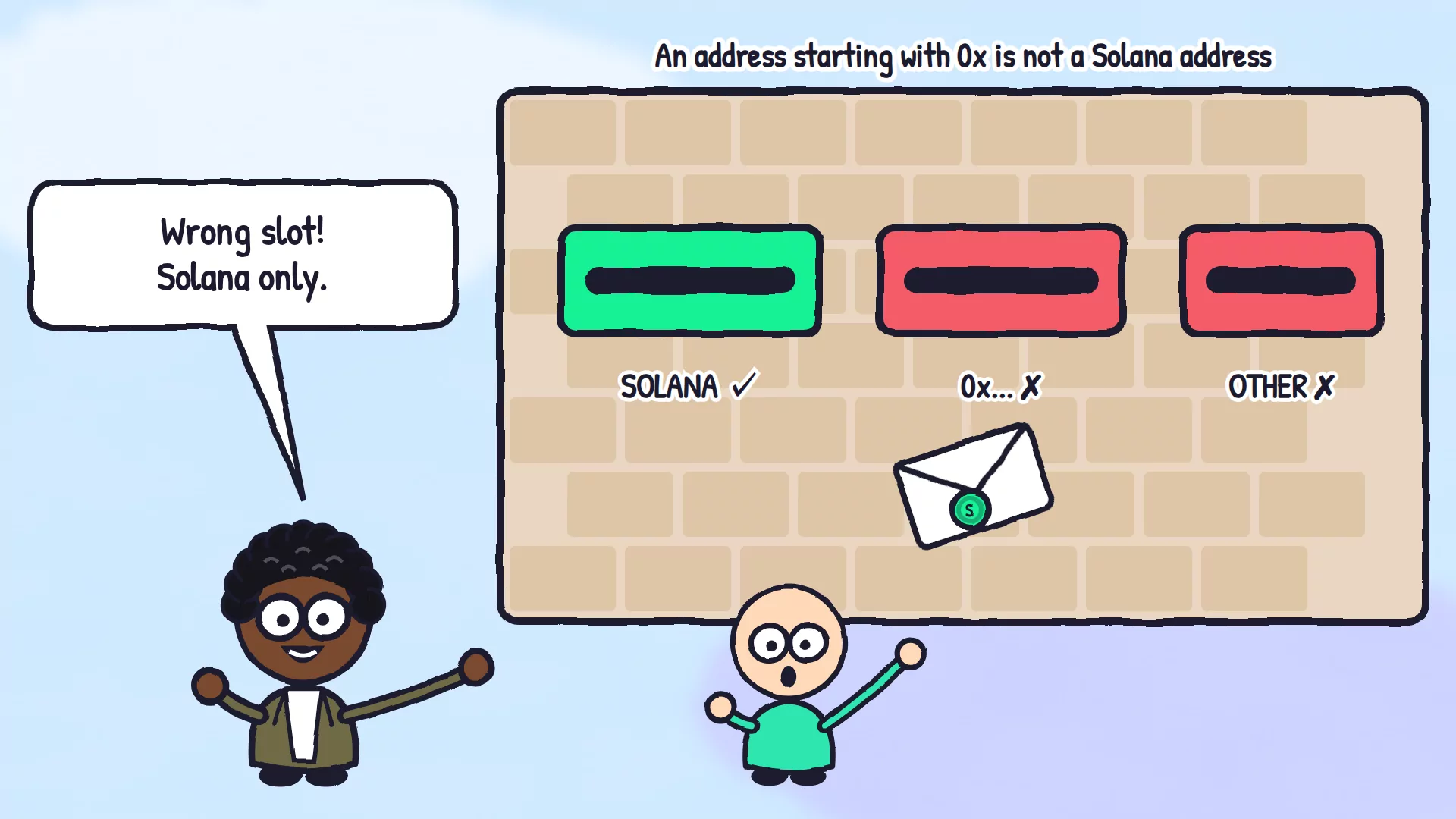
- A Solana address is 32 to 44 letters and numbers. An address starting with 0x belongs to a different network, so stop.
- A memo or tag: some exchanges show one next to their deposit address. If yours does, include it, or the exchange may not know the deposit is yours.
- USDC on Solana has the mint address
EPjFWdd5AufqSSqeM2qN1xzybapC8G4wEGGkZwyTDt1v. A token called USDC with any other address is a copycat.
What is the SOL Incinerator?
It's Solz.app's tool for getting back the SOL locked in your wallet's token accounts. Every token you've held left a little box behind with a deposit inside: 0.00148844 SOL, or 0.00203928 SOL for older boxes. The Incinerator closes the empty boxes and returns the deposits, for 0.00002 SOL per account.
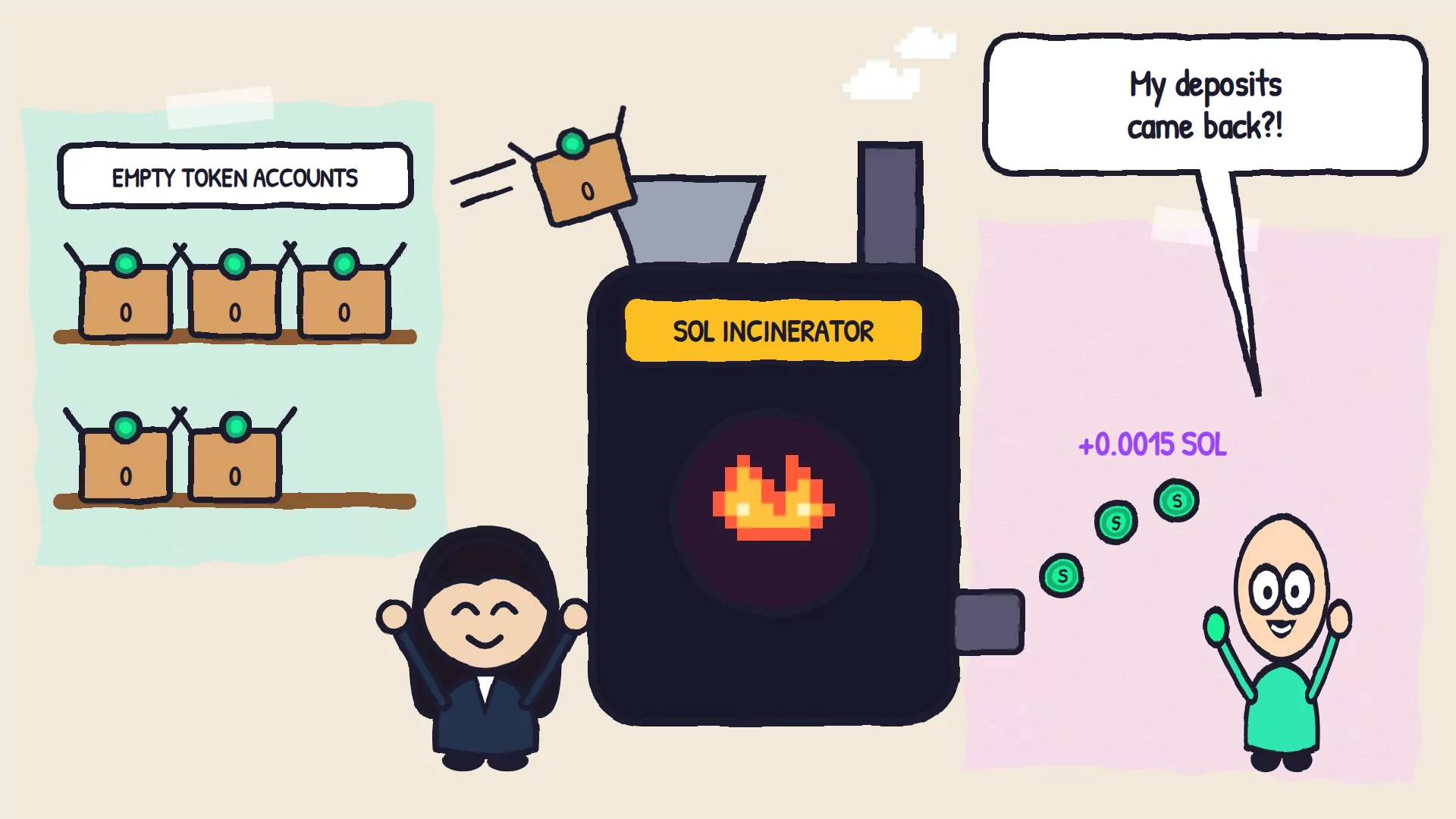
It's called an incinerator, but nothing you own is burned unless you choose to burn it. Claim empty accounts only closes boxes with nothing in them, and Withdraw excess rent takes the extra SOL out of older boxes and leaves them open.
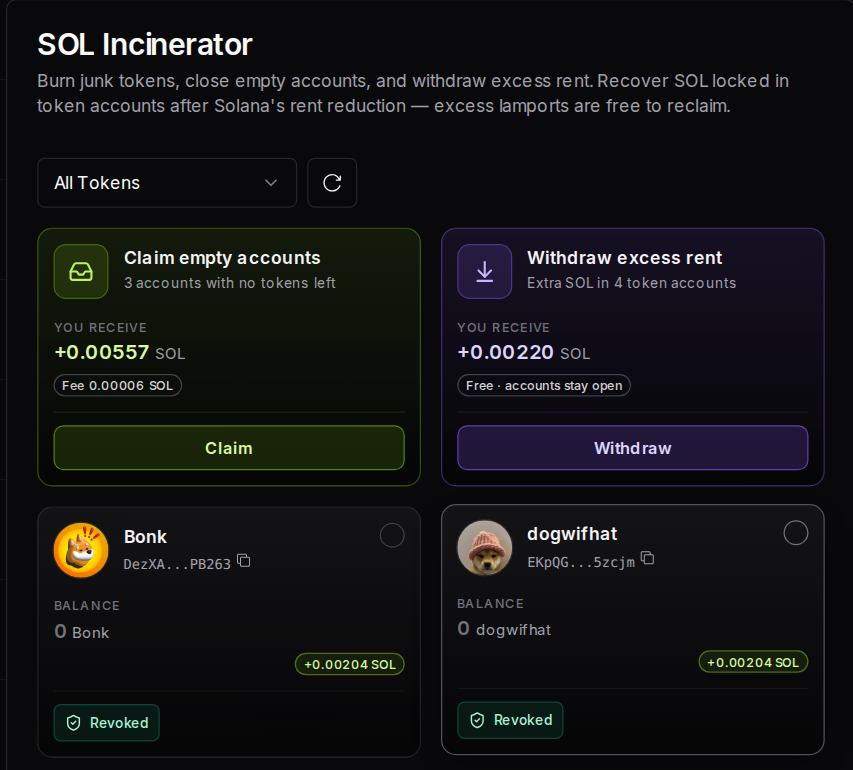
This wallet has no Bonk, dogwifhat or JTO left, but still has their three empty boxes. Claim empty accounts returns 0.005567 SOL, or 0.005507 SOL after the 0.00006 SOL fee, and Withdraw excess rent finds 0.00220 SOL more in older boxes:
Reclaim SOL explains every option, and X Wallets can do it for many wallets at once.
Prerequisites
- A Solana wallet, with your 12 words written down safely.
- An account at an exchange that operates in your country, with its identity checks done, if you want to use your bank.
- A bank account or a card.
Steps to put money in
- Buy SOL. On your exchange, add money from your bank or card and buy SOL. Or tap Buy in your wallet and pay by card.
- Copy your wallet address. In your wallet, tap Receive and copy your Solana address.
- Send a test amount. On the exchange, choose Withdraw, then SOL, then the Solana network. Paste your address and send the smallest amount it allows.
- Check it arrived. Your wallet shows it within seconds of the exchange sending it. The exchange itself may take a few minutes to process the withdrawal.
- Send the rest. Use the same address and the same network.
Steps to take money out
- Reclaim your SOL first. Open the SOL Incinerator, connect your wallet, click Claim and approve.
- Swap your tokens for SOL or USDC. Use your wallet's Swap tab or a swap site you trust, and check the slippage limit.
- Copy the exchange's deposit address. On the exchange, choose Deposit, then SOL or USDC, then the Solana network. Copy the address, and the memo if one is shown.
- Send a test amount, then the rest. In your wallet, tap Send and paste the address. If you're sending USDC, keep a little SOL in the wallet for the network fee.
- Sell and withdraw. On the exchange, sell for your currency, then withdraw to your bank.
What should I expect to see?
A transfer on Solana shows up in the receiving wallet within seconds, with a link you can check on an explorer. Exchanges add their own wait: a withdrawal can sit in processing for a few minutes, and deposits are credited after the exchange's checks. If something's missing, check the transaction link first.
| What you see | What it means | What to do |
|---|---|---|
| The transfer shows as successful on an explorer, but not in the exchange | The exchange hasn't credited it yet, or the memo was missing | Wait a little, then contact the exchange's support with the transaction link |
| Your wallet won't send your whole USDC balance | It needs a little SOL for the network fee | Keep some SOL in the wallet |
| SOL has been successfully claimed | The SOL Incinerator closed your empty accounts and returned their deposits | Nothing else |
| Nothing to claim, or No empty token accounts to claim | You have no empty boxes | Nothing else |
| Not enough balance, you need at least the amount shown | You can't cover the SOL Incinerator's fee and network costs | Add a little SOL |
How much does moving money cost?
On Solana itself, a transfer costs 0.000005 SOL per signature, plus any priority fee. Exchanges charge their own trading and withdrawal fees, which vary, so check them before you buy. Card purchases usually cost more than bank transfers. The SOL Incinerator charges 0.00002 SOL per account and returns each account's deposit.
| Item | Cost |
|---|---|
| Send SOL or a token on Solana | 0.000005 SOL per signature, plus any priority fee |
| Exchange trading and withdrawal fees | Set by your exchange |
| Buying by card in a wallet | Set by the payment partner, shown before you pay |
| SOL Incinerator, Claim empty accounts | 0.00002 SOL per account, and the account's deposit comes back |
| SOL Incinerator, Withdraw excess rent | No Solz.app fee |
FAQ
I sent SOL on the wrong network. Can I get it back?
Sometimes, if the exchange that received it agrees to recover it, but often not. Contact the receiving exchange's support with the transaction link, and never pay a stranger who offers to get it back.
Do I pay tax when I cash out?
In many countries, selling or swapping crypto can be taxable. The rules differ from country to country, so check with a local tax adviser.
Can I send money straight from my wallet to my bank?
Not directly. Some wallets offer a Sell or Cash out option through a payment partner in some countries. Otherwise, go through an exchange.
Is USDC the same as dollars?
It's a token designed to stay worth one US dollar, issued by a company that holds reserves for it. It's still a token, so check its mint address before you trust one.
Why did my exchange deposit arrive late?
Exchanges wait for their own checks before crediting deposits. If your transfer shows as successful on an explorer, the SOL has left your wallet, and the exchange's support can trace it from the link.
Keep reading
Back to the start of the series: Solana for beginners.