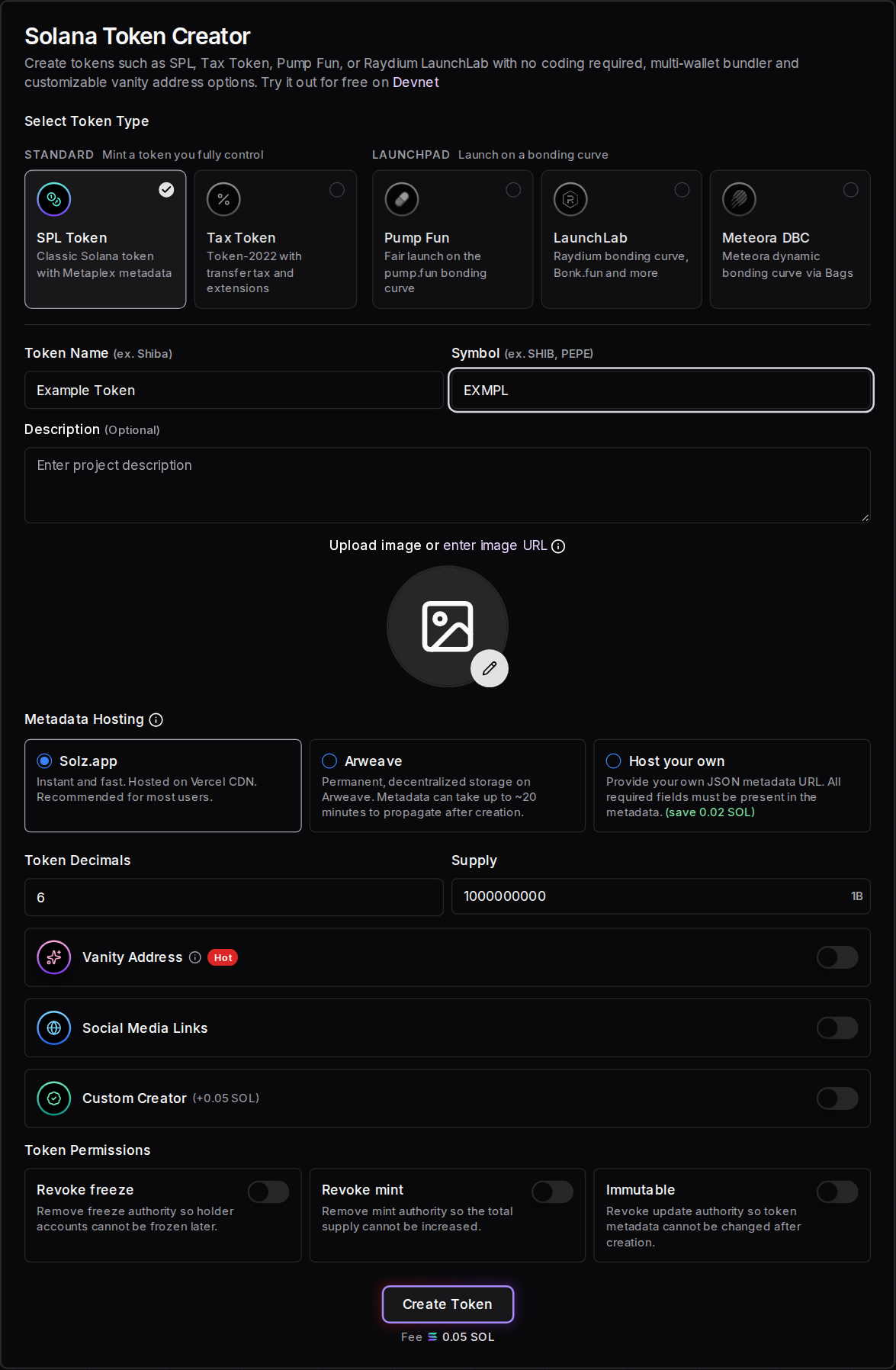
Solz.app vs PandaTool: features, fees and which to use
Is Solz.app or PandaTool better for a Solana token launch?
They're close on the basics, and Solz.app is lower on token creation, updates and rent recovery. PandaTool includes revokes at creation, as Solz.app does, and adds swap bots, token cloning and other chains. Choose Solz.app for compressed airdrops, token locks and your own launchpad, and PandaTool if you need its bots or chains.
This comparison is accurate as of November 2, 2026, the date we checked it. Fees, features and limits on both tools can change after that, so confirm the current details on each tool before you decide.
Solz.app wrote this comparison, so check the figures yourself. PandaTool's fees come from its Solana tool pages, read without connecting a wallet. Some only appear once you've selected a token, and we say when we couldn't see one. Fees are in SOL, and leave out network fees and your own liquidity.
Which features does each tool offer?
Both cover the main Solana launch tools: tokens, Token-2022, vanity tokens, Pump.fun and BonkFun launches, Raydium and Meteora pools, batch transfers, snapshots and rent recovery. Solz.app adds compressed airdrops, token locks, your own launchpad and more launchpads. PandaTool adds swap bots, token cloning, a swap and tools for other chains.
"Yes" means the tool's own site lists it for Solana. "Not listed" means we couldn't find it there, not that it definitely doesn't exist.
| Feature | Solz.app | PandaTool |
|---|---|---|
| SPL token creator | Yes | Yes |
| Token-2022 tax token | Yes | Yes |
| Claim collected tax fees | Yes | Yes |
| Vanity token and address | Yes | Yes |
| Clone a token | No | Yes |
| Update metadata | Yes | Yes |
| Manage authorities | Yes | Yes |
| Pump.fun launch with bundled buys | Yes | Yes |
| BonkFun launch with bundled buys | Yes | Yes |
| LaunchLab, StonkFun and Bags launches | Yes | Not listed |
| Bundled sell | Yes | Yes, on Pump.fun |
| Swap bots | No | Yes, for Pump.fun and BonkFun |
| Swap | No, bundled trades only | Yes |
| Raydium pools | Yes | Yes |
| Meteora pools | Yes, DAMM v2 and DLMM | Yes, DLMM |
| PumpSwap pools | Yes | Not listed |
| OpenBook market | Yes | Yes |
| Batch transfer | Yes | Yes |
| Compressed airdrops | Yes | Not listed |
| Holder snapshot | Yes | Yes |
| Recover rent | Yes | Yes |
| Burn tokens | Yes | Yes |
| Token lock and vesting | Yes | Not listed for Solana |
| Your own LaunchLab platform | Yes | Not listed |
| Other chains | No | Yes |
How do Solz.app and PandaTool fees compare?
Solz.app is lower for creating a token, creating a Raydium pool, updating metadata and recovering rent. PandaTool can cost less on batch transfers, because it charges per transaction, not per wallet. Both charge 0.05 SOL to launch on Pump.fun, as shown on its form.
Here are some common jobs on each:
- Token with mint and freeze revoked: 0.05 SOL on Solz.app, 0.1 SOL on PandaTool, 50% less on Solz.app
- Raydium pool: 0.06 SOL on Solz.app, 0.09 SOL on PandaTool, 33% less on Solz.app
- Meteora DLMM pool: 0.06 SOL on Solz.app, 0.002 SOL on PandaTool, 96% less on PandaTool
- Launch on Pump.fun, no bundle: 0.05 SOL on Solz.app, 0.05 SOL on PandaTool, the same price
These are service fees in SOL. Network fees and the pools' own fees come on top for both. Here's every step:
- 5 cheaper on Solz.app
- 1 cheaper on PandaTool
- 2 depend on your amounts
- 2 the same price
- 2 not comparable
| Step | Solz.app | PandaTool | Difference |
|---|---|---|---|
| Create a token50% less on Solz.app | 0.05 | 0.1 | 50% less on Solz.app |
| Revoke mint or freeze at creationSame | No extra fee | No extra fee | Same |
| Create a Token-2022 token50% less on Solz.app | 0.05 | About 0.1 | 50% less on Solz.app |
| Update metadata42% less on Solz.app | 0.04 | 0.07 | 42% less on Solz.app |
| Revoke after creationNot shown on PandaTool | 0.04 each | Not shown without a token selected | Not shown on PandaTool |
| Create a Raydium pool33% less on Solz.app | 0.06 | 0.09 | 33% less on Solz.app |
| Create a Meteora pool96% less on PandaTool | 0.06 for DAMM v2 or DLMM | 0.002 for DLMM | 96% less on PandaTool |
| Launch on Pump.fun, no bundleSame | 0.05 | 0.05 | Same |
| Pump.fun Buy BundleNot shown on PandaTool | +0.01 per wallet | Not shown without wallets imported, up to 6 wallets | Not shown on PandaTool |
| Vanity tokenDepends on the number of letters | Free for 1 to 2 letters, 0.1 for 3, up to 3.75 for 7 | 0.15 | Depends on the number of letters |
| MultisendPandaTool is cheaper above 20 wallets per transaction | 0.0005 per wallet | 0.01 per transaction | PandaTool is cheaper above 20 wallets per transaction |
| Recover rent from empty accounts72% less on Solz.app | 0.00002 per account | From 4.88% of the rent | 72% less on Solz.app |
The saving on reclaiming rent uses today's rent of 0.00148844 SOL per token account. It's larger on older accounts, which hold more.
"Not shown" means we couldn't see the amount on the page without selecting a token or wallet. The form shows it before you sign.
PandaTool charges per transaction, so it costs less than Solz.app once each transaction carries more than 20 wallets, and more below that. Check the form for your list.
What does a basic launch cost on each tool?
A basic launch on Solz.app costs 0.135 SOL in service fees: create the token with mint and freeze revoked, create a pool, and burn the liquidity pool (LP) tokens. On PandaTool, the same creating and pool steps cost 0.19 SOL. We couldn't see its burn fee without a wallet, so its total leaves that out.
| Step | Solz.app | PandaTool |
|---|---|---|
| Create the token | 0.05 | 0.1 |
| Revoke mint and freeze at creation | No extra fee | No extra fee |
| Create a Raydium pool | 0.06 | 0.09 |
| Burn liquidity pool (LP) tokens | 0.025 | Not shown |
| Total | 0.135 | 0.19 or more |
Raydium's own fee and network fees come on top for both.
How much rent do you keep with each tool?
Solz.app charges a flat 0.00002 SOL per account to close empty token accounts, while PandaTool lists a share starting from 4.88%. For 100 empty accounts opened before Solana's rent reduction, holding 0.203928 SOL in total, you'd keep 0.201928 SOL with Solz.app, and at most about 0.1940 SOL with PandaTool, before network fees.
See how to reclaim SOL on Solz.app.
Where does PandaTool win?
PandaTool suits you if you want swap bots, token cloning or tools on other chains. It lists bots for Pump.fun and BonkFun, and has separate sites for networks such as Sui, TON and Tron. Its Meteora DLMM fee is also very low, and its per-transaction batch transfer fee could cost less than Solz.app's per-wallet fee.
- Swap bots: it has bots for Pump.fun and BonkFun, which Solz.app doesn't have.
- Token cloning: it can copy an existing token's details into a new one, for 0.1 SOL.
- Other chains: its main site covers networks including BSC and Ethereum, with separate sites for others.
- Batch transfers: at 0.01 SOL per transaction, it beats 0.0005 SOL per wallet once a transaction carries more than 20 wallets.
- Meteora DLMM: a 0.002 SOL fee, against 0.06 SOL on Solz.app.
Why choose Solz.app over PandaTool?
Choose Solz.app if your project is Solana-first and you want more than the basics. It's lower on token creation, updates and rent recovery, and covers more launchpads. It also lists compressed airdrops, token locks with a public page to verify them and your own launchpad, which we couldn't find on PandaTool's Solana site.
- Lower fees to start: 0.05 SOL to create a token, against 0.1 SOL.
- Keep more of your reclaimed rent: a flat 0.00002 SOL per account, against a share from 4.88%.
- More launchpads: LaunchLab, StonkFun and Bags, as well as Pump.fun and BonkFun.
- Compressed sends: compression costs about 60% less in total when recipients have no token account yet.
- Token locks: a lock costs from 0.002 SOL, and anyone can browse and verify locks.
- Your own launchpad: create a LaunchLab platform or a Meteora launchpad for 0.15 SOL and earn a share of their trading fees.